So, you have just got your new VMware Cloud Foundation, VCF, private cloud, environment all set up, and its working great
Many systems within the platform have their own backups, and they give you a very good starting point for the next part in your private cloud strategy, backups, when everything goes wrong, you want a get out of jail free card that helps to quickly restore everything, but what do you choose.
Veeam has a very long VMware history, and completes VCF very well, but why?
All those system backups we mentioned, they need to be backed up somewhere secure, and the SFTP service required for most things isnt going to help much there, and thats where Veeam steps in, and we can backup the following:
- SFTP backups
- VMs that dont have native configuration backups, like Operations
- Workload VMs running our core infrastructure
- Kubernetes clusters with Kasten
And its not just backups, we get a suite of extra features Veeam brings to the table, such as:
- Immutability – Prevent ransomware from destroying your backups
- VM replication
- Backup testing to ensure that they actually work
- Veeam’s integrated monitoring so you know when backups are failing
- Offsite/Offline backups
- vSphere plugin
- Physical server backup
- File share backups
- Application restores
Licensing
Veeam licensing comes in two main flavours that best complement VCF:
- Foundation
- Advanced
Foundation gives us our base, including:
- Immutability – Prevent ransomware from destroying your backups
- VM replication
- Backup testing to ensure that they actually work
- Offsite/Offline backups
- vSphere plugin
- Physical server backup
- File share backups
- Application restores
Advanced, is driving all the Veeam analytics so you know when jobs are not running, what’s causing issues, how to resolve them as well as more day to day insights
Immutability
Arguably the most important aspect of Veeam, is backup immutability, this is a Write Once, Read Many way of storing data ensuring it can not be changed/deleted by any, including a threat actor, when you come to do a restore, you want to ensure nothing has been tampered with
This can be easily added to a Veeam Backup & Replication server and immutability is set at the repository level, and covers all your standard backups
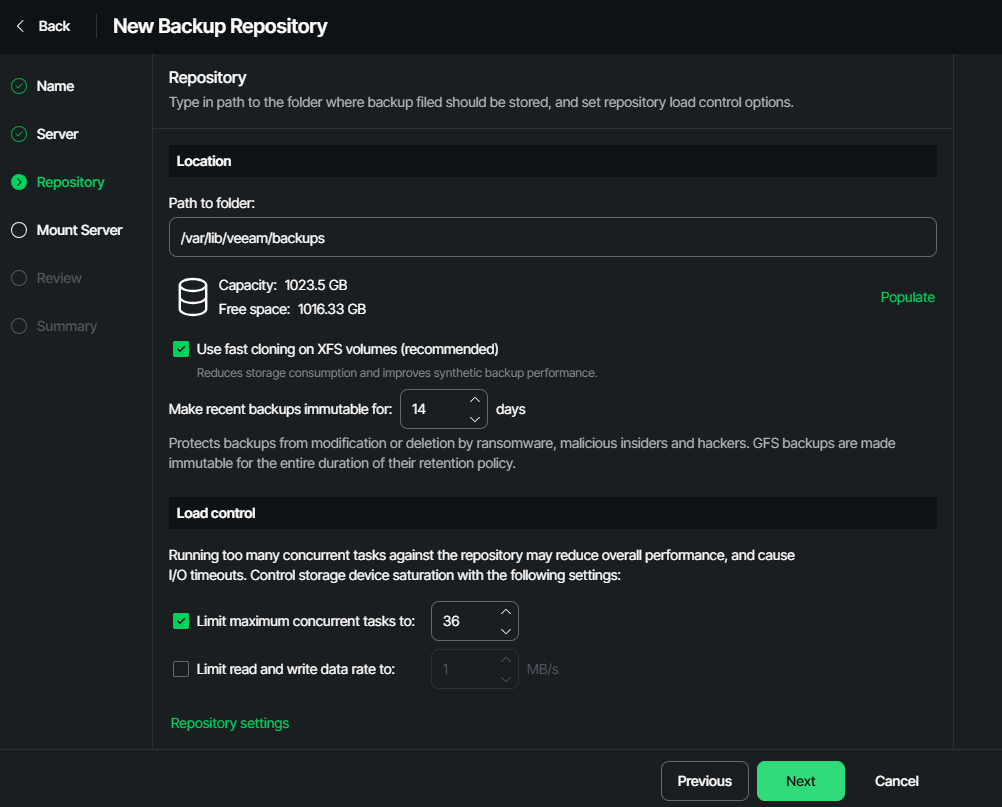
GFS archival backups are made immutably for the length they are set to be retained, rather than this date, so you want to keep 12 monthly backups, and 1 yearly backup, they will be immutable for the entire time until they expire
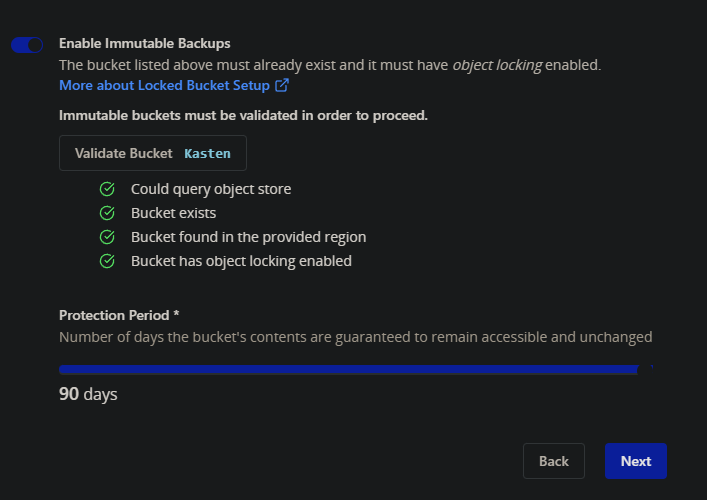
This isnt just a VM feature, Kasten, the Kubernetes solution, has feature parity here, for example using Wasabi S3, it can be applied at the bucket level
Replication
Replication in VMware has been around for years, it allows you to take VMs, defined by folder/selection/tag and replicate them to another location, for example, a DR location
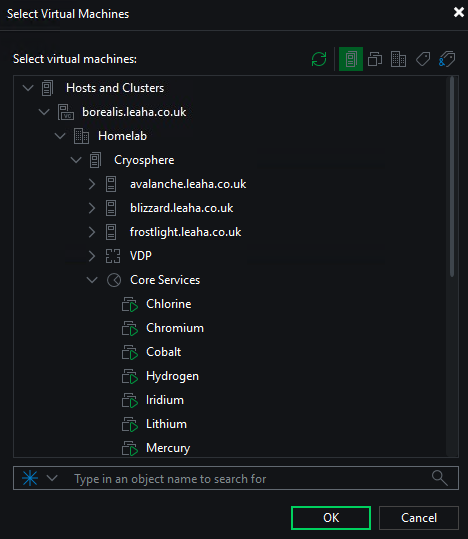
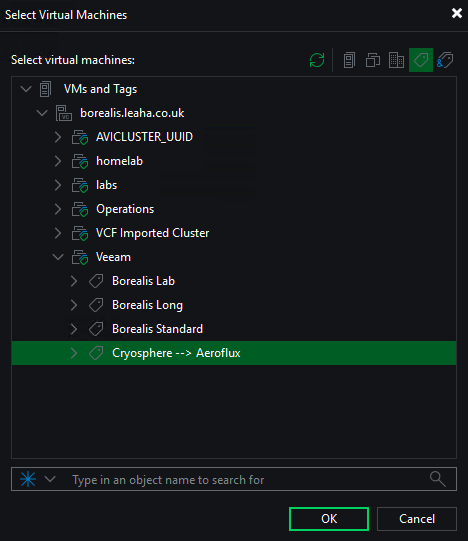
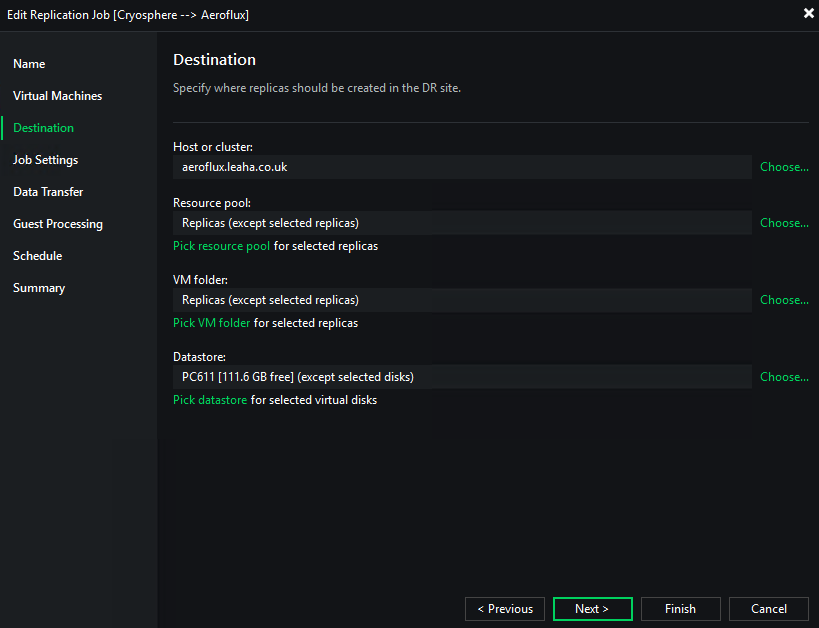
Once VMs are selected a destination can be selected for storage, a resource pool, VM folder and datastore
Offsite Backups
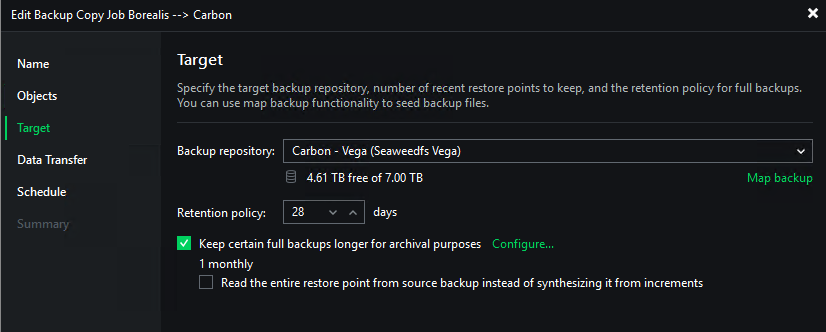
Offsite backups can easily be configured by adding multiple repositories to Veeam Backup & Replication, this can be a repository at another site, or cloud based S3 storage, for example Wasabi
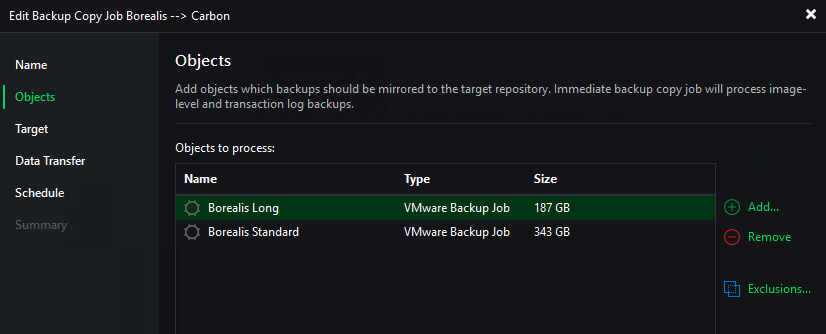
Once you have multiple repositories we can configure backup copy jobs
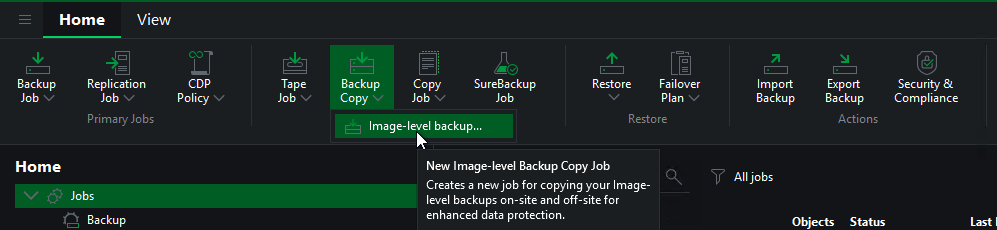
There we can select source jobs, and defined target repositories
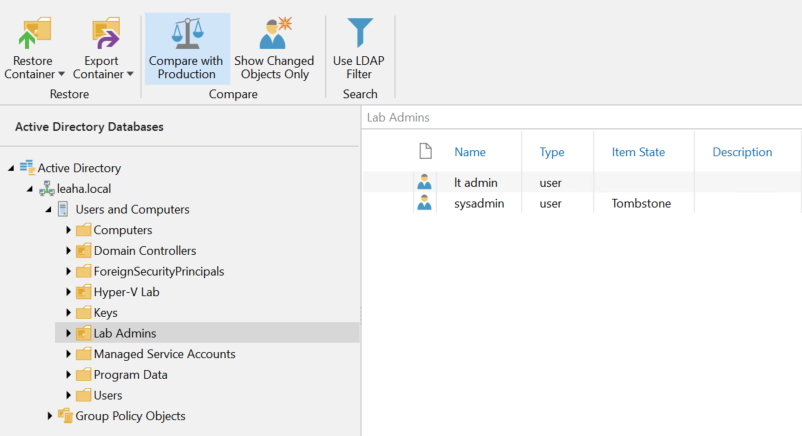
Application Restores
We can use the Veeam explorer to restore certain applications, for example, MS AD, Exchange or SQL, direct to the production system saving as full VM restore
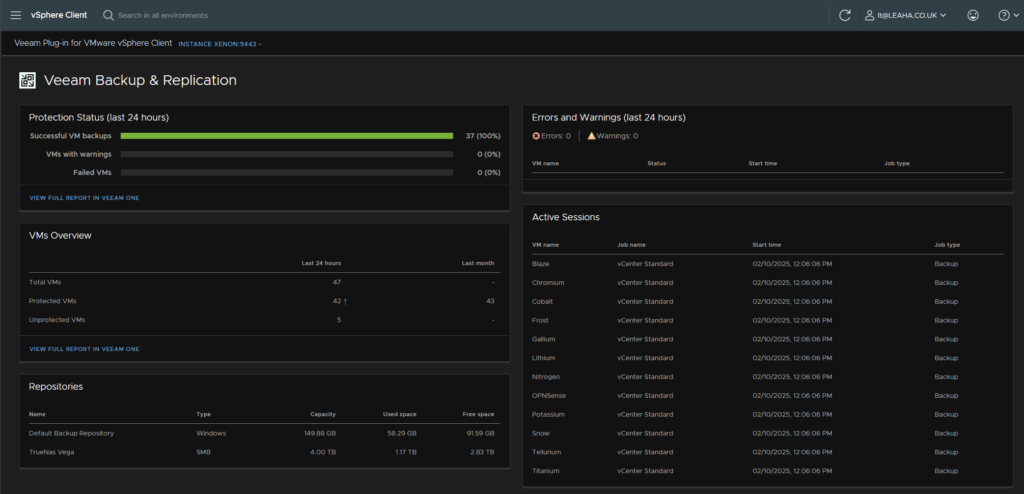
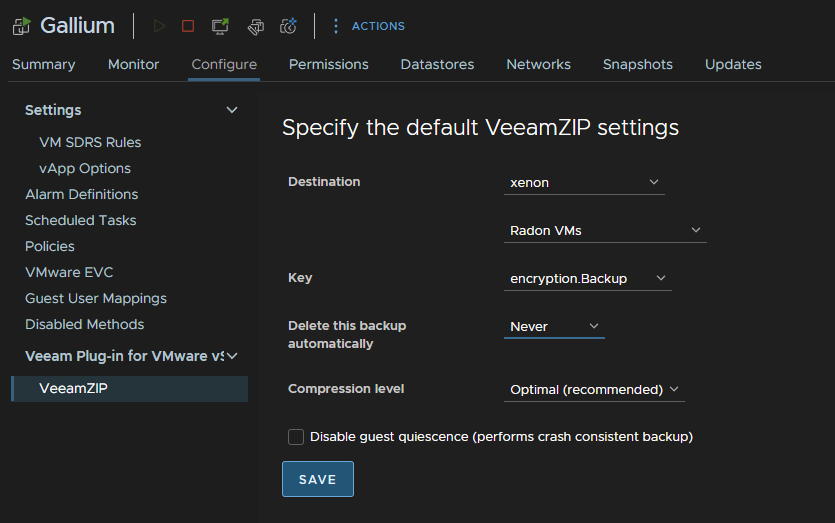
vSphere Plugin
We can see backup job status from vSphere as an overview
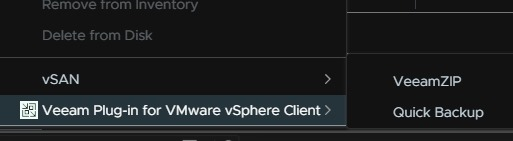
Or we can run a VeeamZIP/Quick Backup directly from vSphere
Overvability
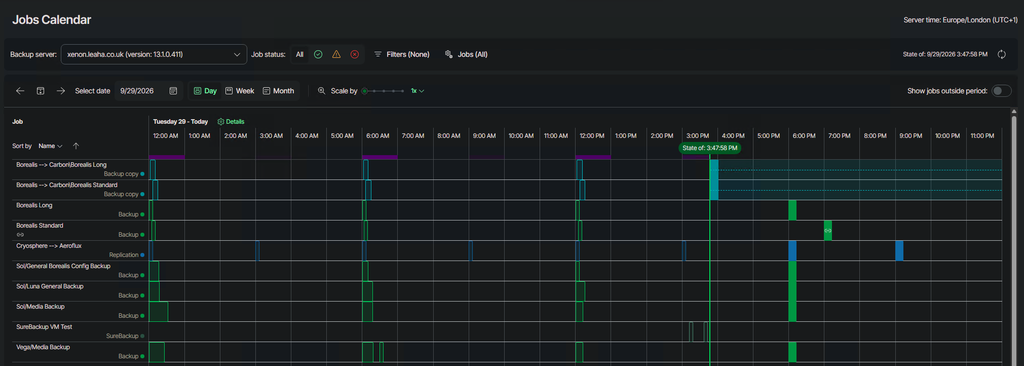
Veeam ONE provides observability over the Veeam estate, such as a jobs calendar
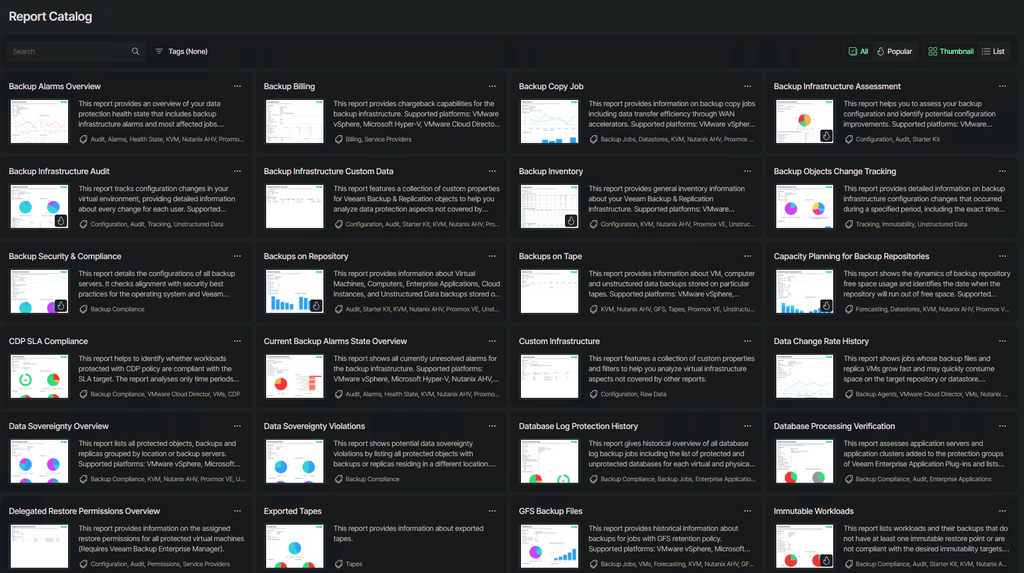
A plethora of schedulable reports
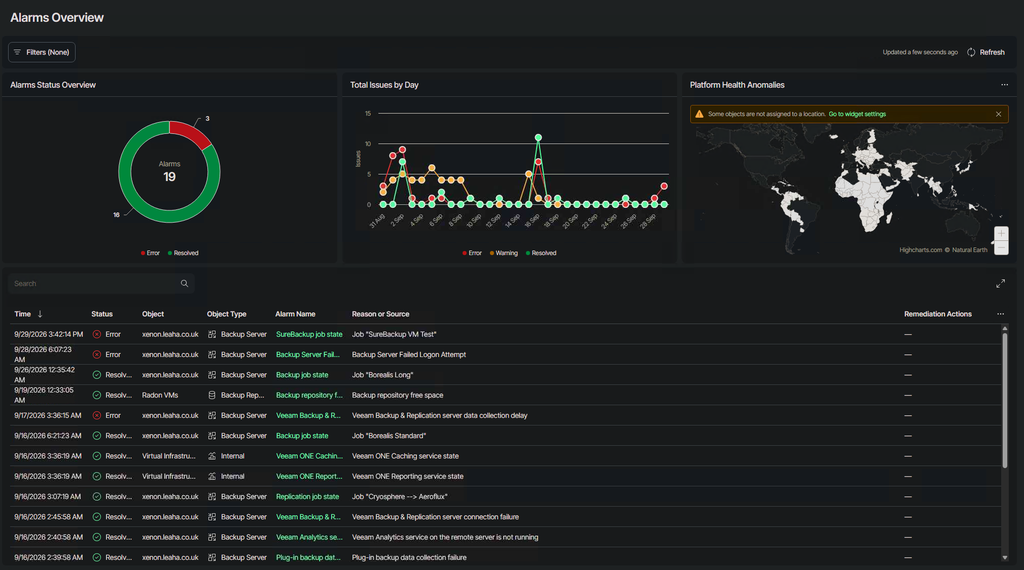
And more alarms than you can possibly need, which can all be tweaked to meet your environments needs, or you can create your own
Kubernetes
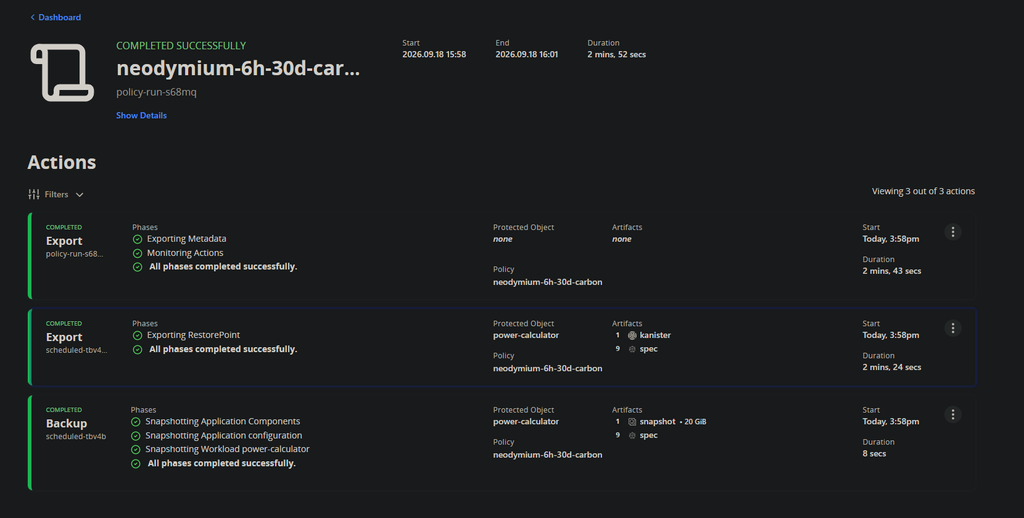
Kubernetes is slowing growing in adoption and Veeam doesnt leave it out from enterprise level backups, Kasten allows us to create comprehensive Kubernetes volume snapshots and backups to cover almost any RPO you may need
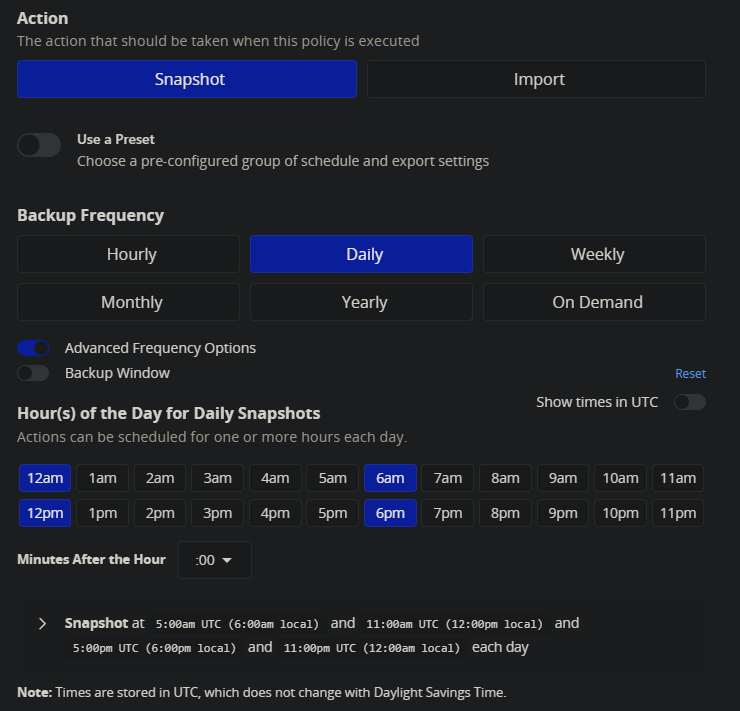
We can then add an export frequency to ship that snapshot data to external repositories, and if the location is configured for immutability, remain immutable for that time
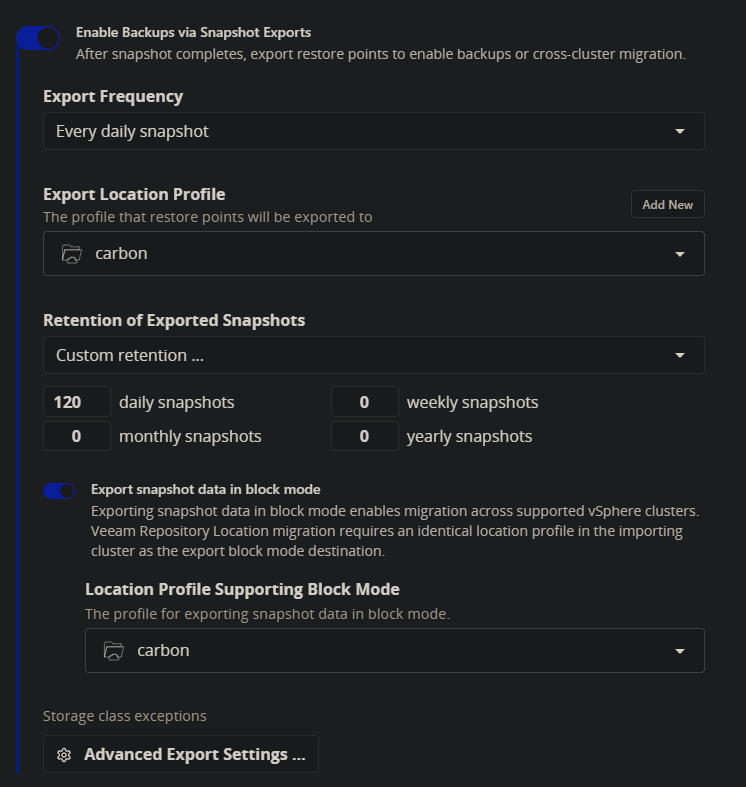
And Kasten’s GUI makes creating and managing backups incredibly simple