What Is vDefend?
- vDefend is an add-on license for VCF
- Managed through NSX
- Required for full L2/L3 micro segmentation
- Security Services Platform is included for additional functionality
What SKUs Are Avilable?
Firstly, we have vDefened Gateway, you only get the layer 3 gateway firewall here, this uses the vDefend license, but you only need cores for the Edge VMs, in a 4:1 Licneses:vCPU, for example if you have an Edge cluster with 2 8vCPU nodes, you need 8x4x2 licenses, which is 64
Secondly, we have vDefend SKU, this gives you the layer 2/3 distributed firewall and gateway firewall, the SSP, Security Services Platform, is also included here with some functionality to help with planning and optimation
Thurdly, we have the vDefend ATP add-on, this gives you Advanced Threat Protection in addition to the layer 2/3 firewall capabilities, this includes:
- IDS – Intrusion Detection Service
- IPS – Intrusion Prevention Service
- Malware Prevention
- NDR – Network Detection Responce
- NTA – Network Traffic Analysis
Why Use vDefend?
Traditional firewalls operate at layer 3, this means we can apply filtering only when crossing networking, and only when the firewall is managing that network, which for most datacenters, most networks are instead handled by the Core Switch
This is where vDefend steps in, this can operate at layer2/3, and vDefend doesnt care who manages the network, the filtering can be applied per VM, whether this is a VLAN backed VM, or running on the NSX overlay
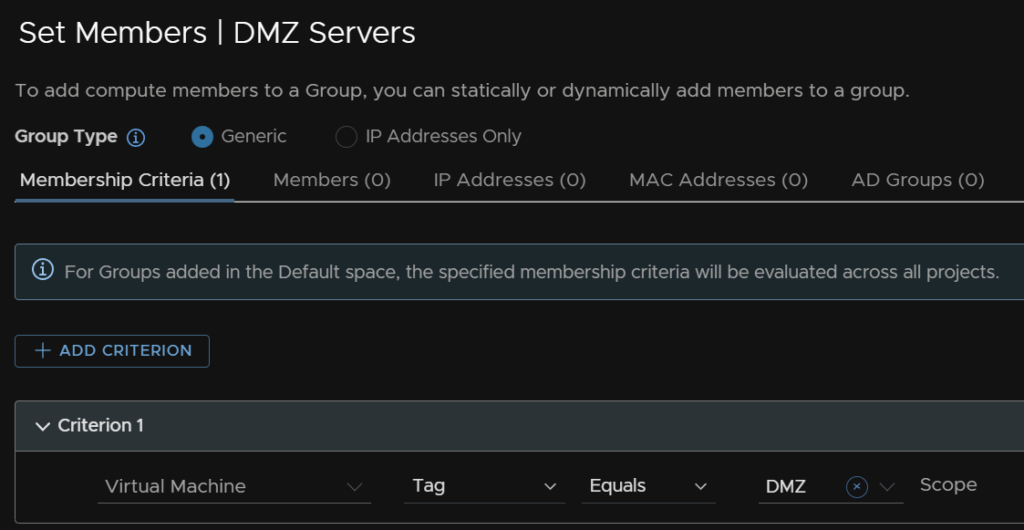
To make things easier, you can configure custom groups of VMs using manual assignment or tagging, and rules can be applied to those groups
How Does It Work?
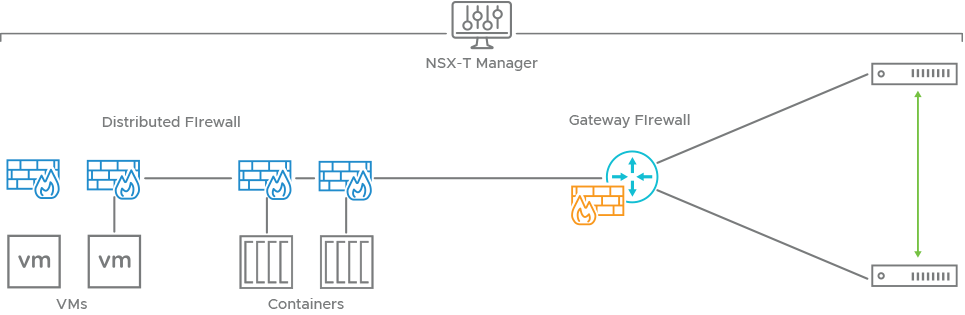
Each VM gets its own firewall running at the vNIC level when connected to Overlay/VPC/VLAN networks, when traffic leaves the vNIC its checked against the firewall, when traffic comes in, its checked again
This allows physical devices to leverage the firewall in two use cases, firstly, physical devices can be blocked from certain virtual devices as its traffic is checked when it come into the VM
Another way is with the gateway firewall, here an overlay network is given an IP address on the same network as a physical network and bridged to the VLAN, and physical servers can route via this address and leverage the gateway firewall
These rules can be applied to containerized workloads, VKS clusters are simply VMs and can leverage the distributed L2 firewall, however pods within a cluster can communicate as normal
vSphere pods allow us to take this one step further, as a pod is treated like a VM by the firewall, we can further micro segment on a per pod basis within K8S
How Easy Is This To Implement?
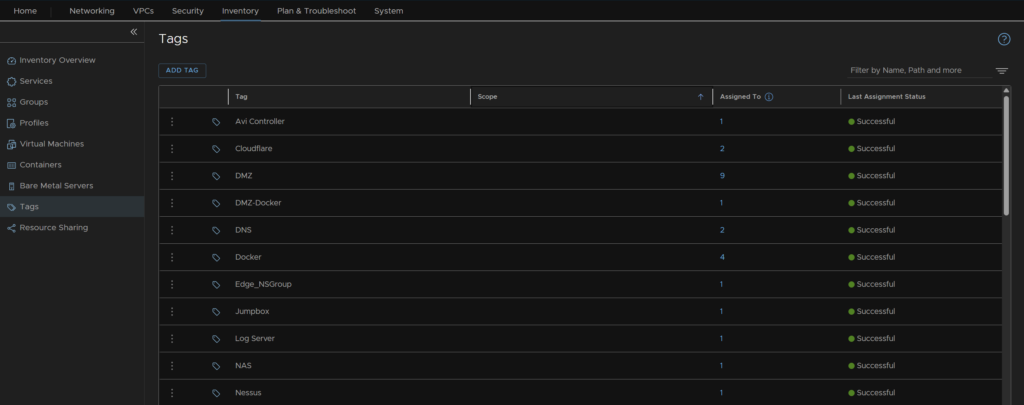
VMs can be tagged within NSX
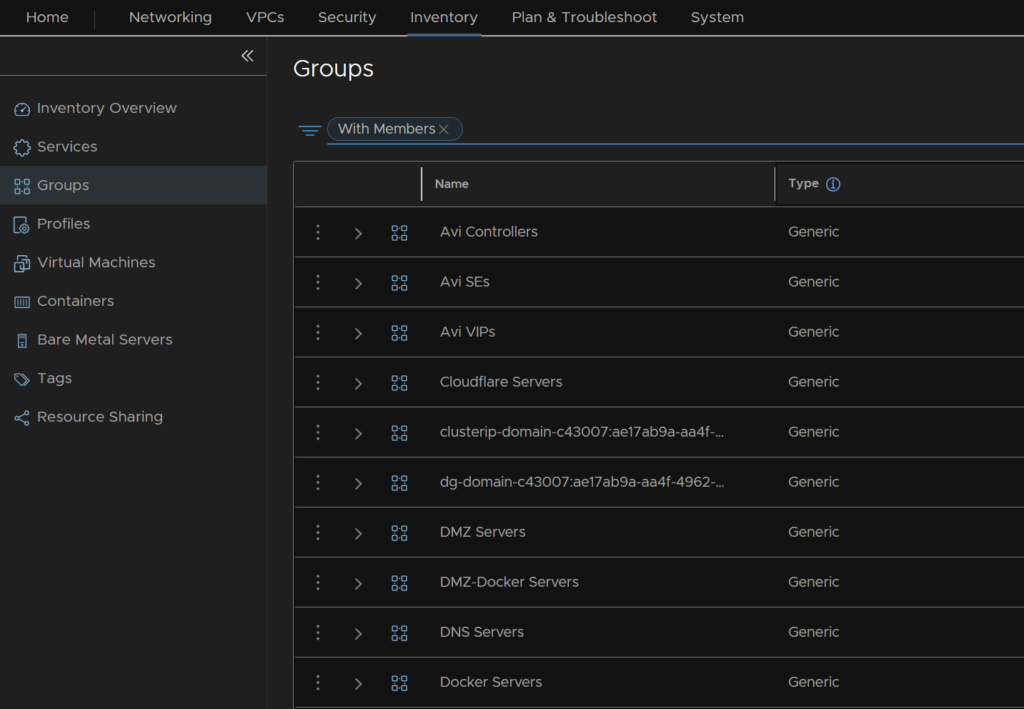
Groups can then be defined base don tags
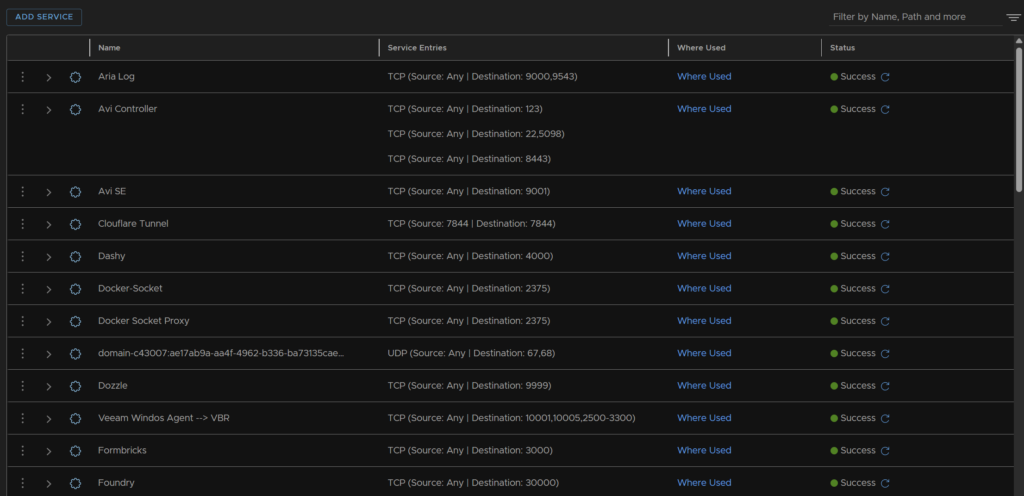
vDefend has a selection of pre defined ports, usually on well known services, eg:
- DNS on TCP/UDP port 53
- SSH on TCP port 22
But you can also create your own services for any port you like
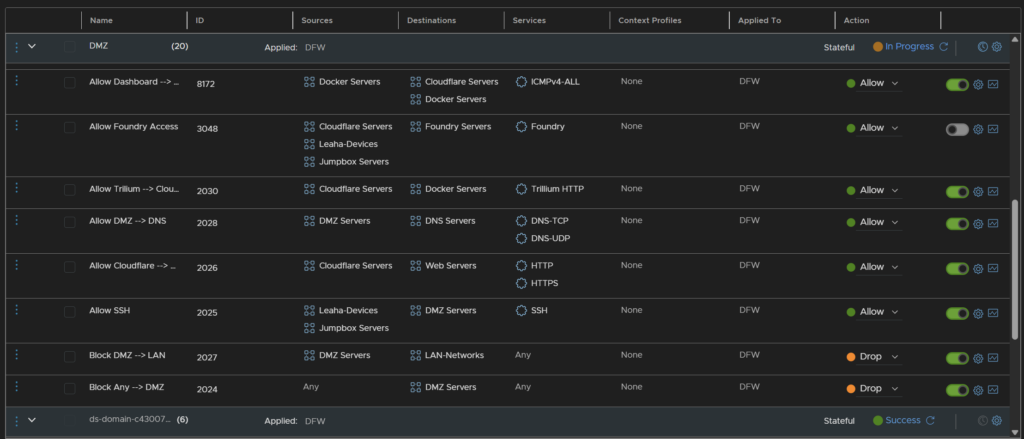
We can easily pair groups in source and destinations with services and allow/drop/reject actions