VCF Operations is a very underrated tool included with the VMware Cloud Foundation platform and it does so much to help day to day management of your systems, so lets take a look at why this is so useful and how you can use to the fullest in your datacenter
Dashboarding
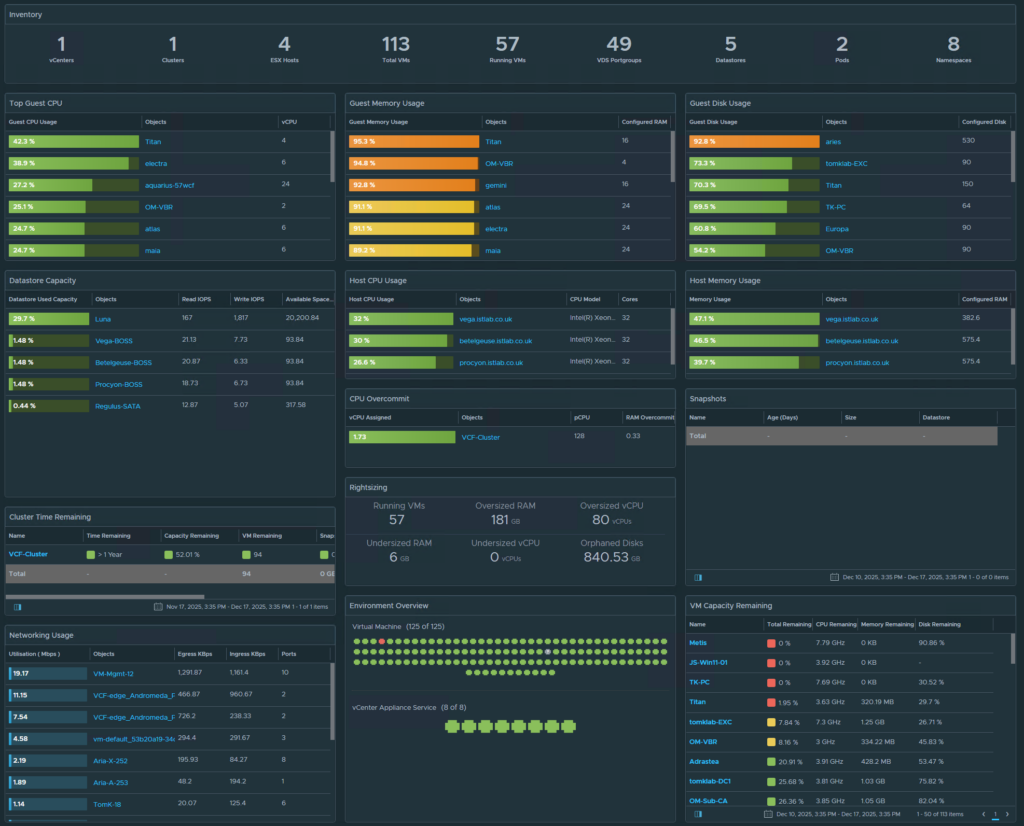
My favourite feature in Operations is dashboards, but not just any dashboards, fully custom ones, with all the data I want and nothing more, if the metric exists in Operations we can dashboard it
So what can we dashboard?
Well, how about a vSphere one that gives us an overview of the following
- Inventory Stats
- Guest VM CPU/Memory/Disk – Real Time
- Host CPU/Memory
- Datastore Capacity
- CPU Overcommit
- Snapshots
- Cluster Time Remaining
- Networking Usage
- VM Capacity – Over Time
- Environment Overview
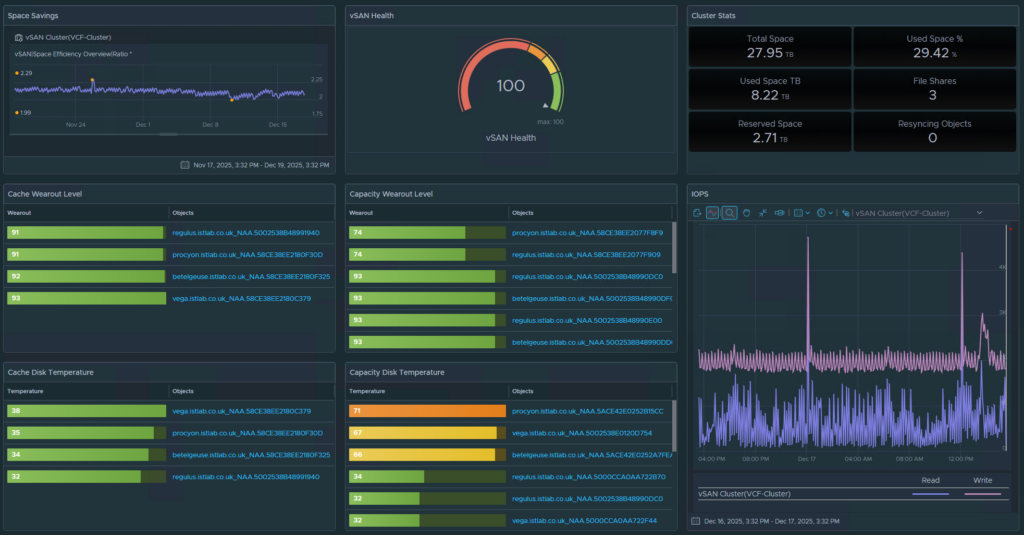
What about vSAN?
Operations has you covered with various metrics, but my favorite is the disk temperatures and wear out levels from SMART data
- Data Efficiency
- vSAN Health
- Cluster Stats
- Wear Out
- Temperature
- IOPS
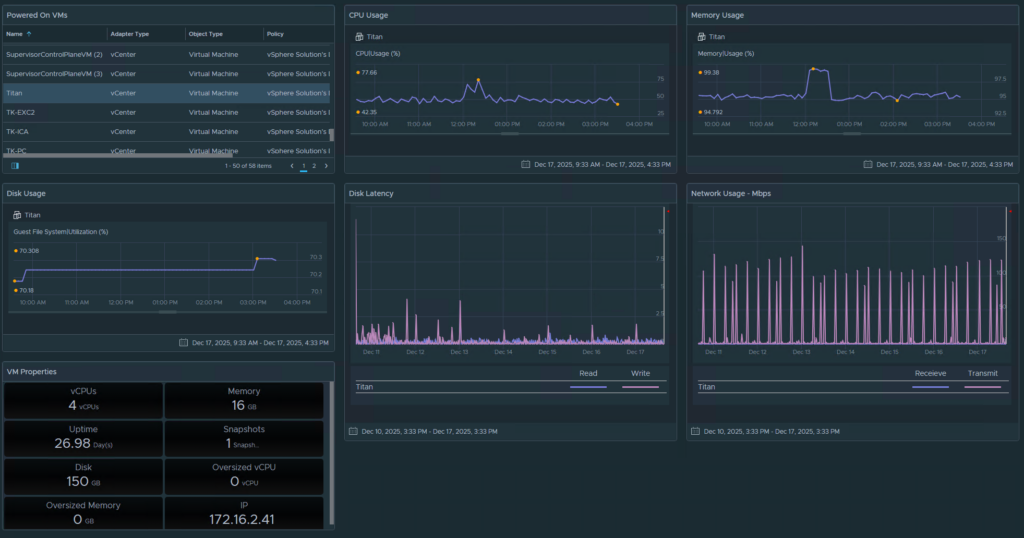
And lastly, a VM dashboard, all about VM stats in 5 minute intervals
This dashboard works a little different and gives a list of powered on VMs in the top left, you select a VM and all the other widgets show the data for that VM, which includes
- CPU Usage
- Memory Usage
- Disk Usage
- Disk Latency
- Network Usage
- VM Properties
Diagnostic Findings
Quickly see both diagnostic and best practices findings within your VCF environments
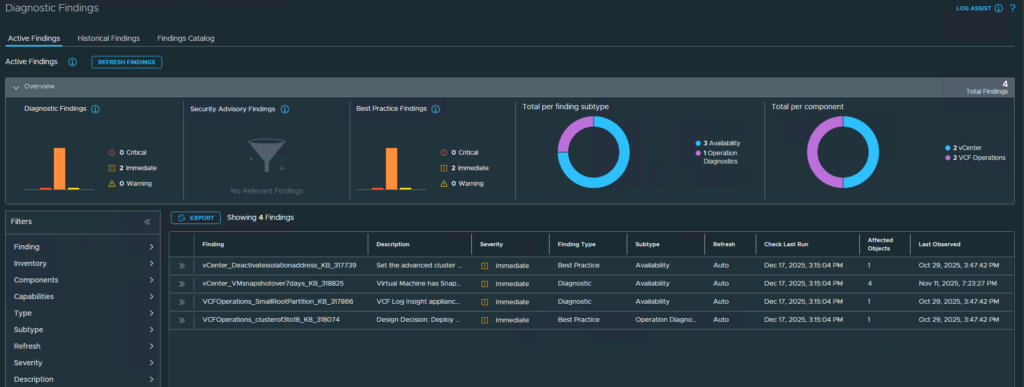
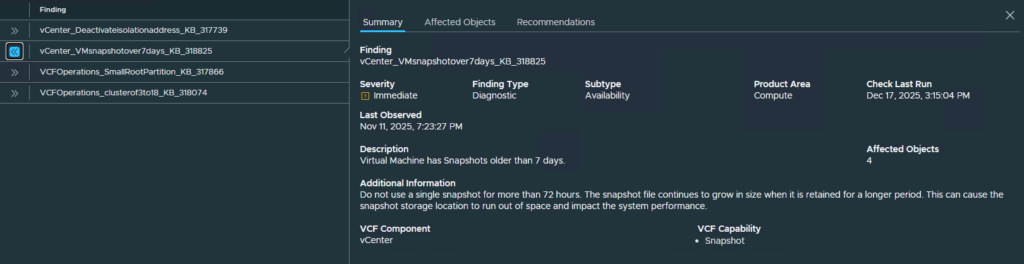
This includes a summary of why this finding was generated
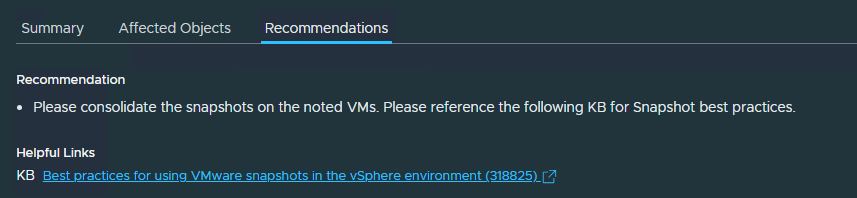
And a recommendation
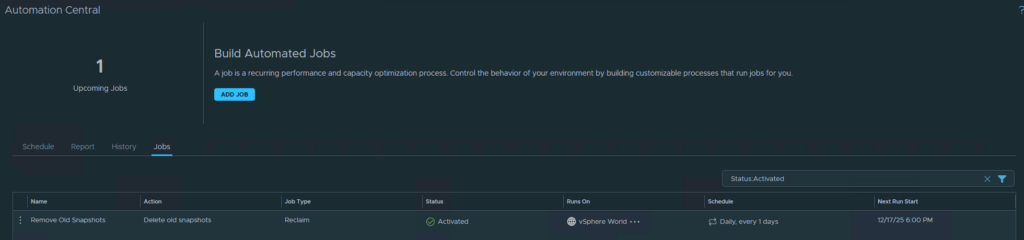
Automated Snapshot Cleanup
Stale forgotten about snapshots are often the cause of VMs getting corrupted, now with Operations it doesn’t matter if someone forgot about them, we can effortlessly clean them up automatically, for me, I opted for it to check every day and remove any snapshot over 28 days old
But dont worry, VM exclusions and filters are available if you need, or you can limit the scope
Full Lifecycle Management
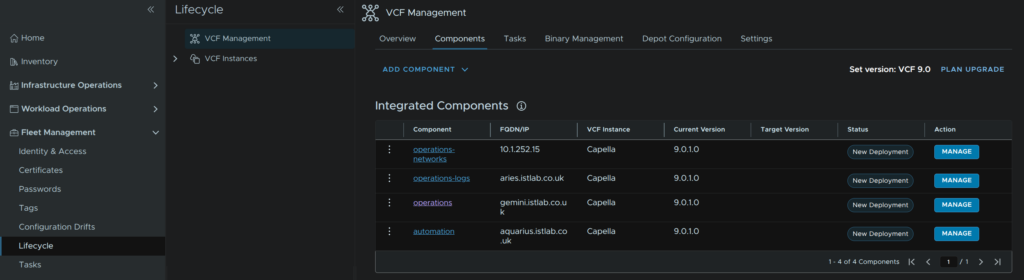
We can manage the lifecycle of all VCF appliances from here, with both VCF Management
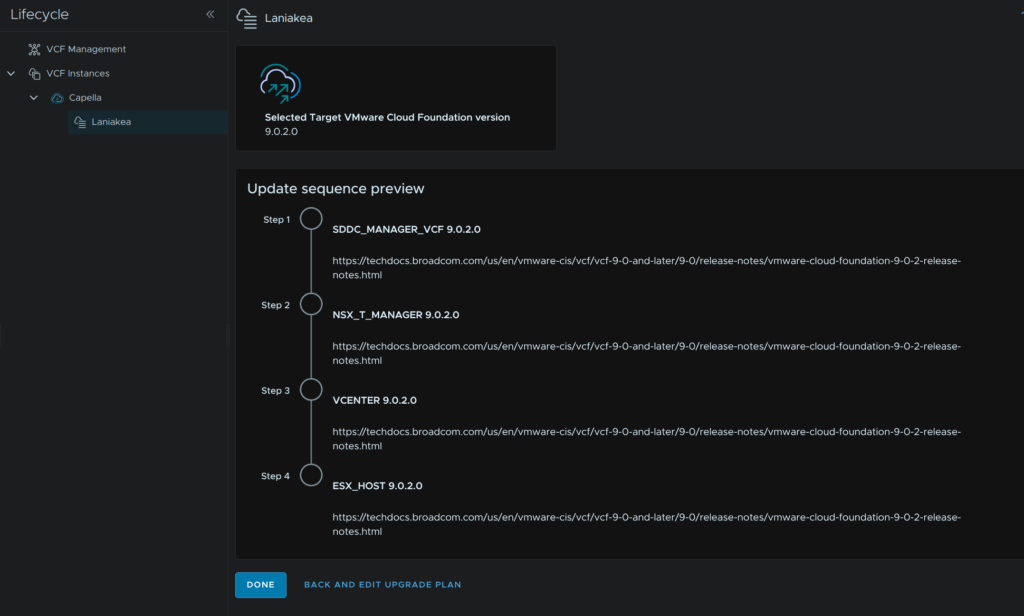
And VCF Instances
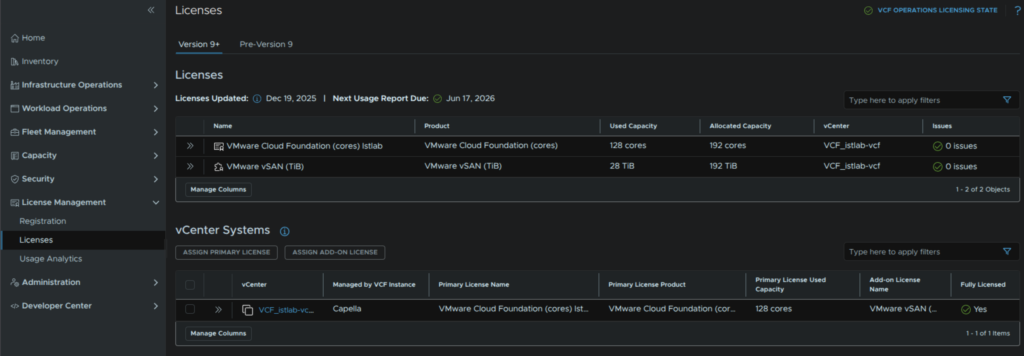
Lastly, we have centralised license management, no longer do we need to apply license to each product, we simply onboard out workload domains to a VCF instance in VCF Operations, and they get pulled in and licneses are taken from the pool