
VCF 9 is Broadcom’s newest product and bring everything from vSphere, vSAN, NSX, Operations and Automation all together in one unified platform
VCF 9 also introduces a couple of new key terminologies that will help us better understand how the system fits together
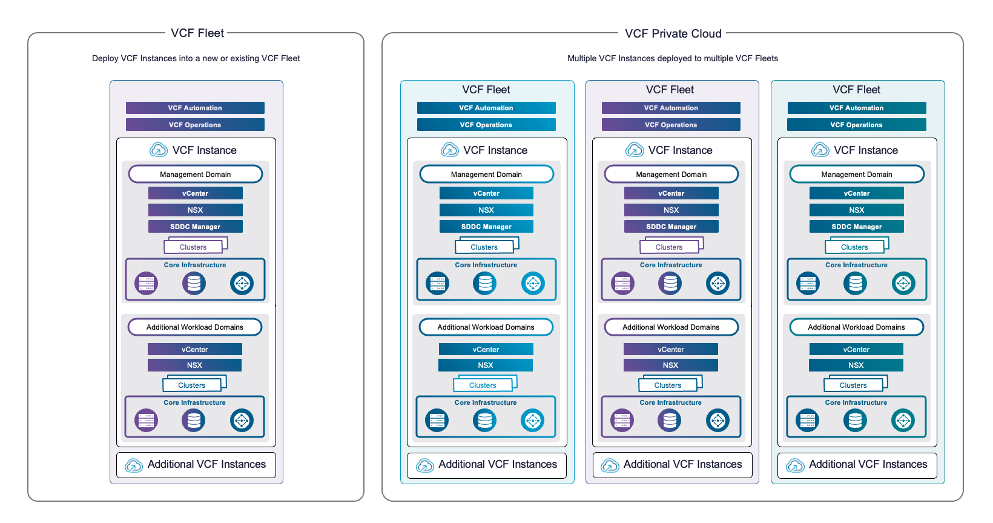
We have the VCF fleet, this is logical group of VCF instances, for most people, you likely want a single fleet as the centralised management is only per fleet, there is one Operations and Automation instance per fleet
We then have a VCF Instance, this uses the SDDC Manager, and we dont really have a hard limit on the number of these you can have per fleet, this is driven mostly my the metric maximums, depending on your Operations install topology
The contains up to 25 workload domains, 1 management domain and 24 virtual infrastructure domains
A workload domain is simply a vCenter, you can scale ESX hosts up to the limit of a vCenter, the first domain is always called the management domain, this is generally where all your management components go in a VCF instance, targeting larger environments
But you can always use a consolidated design, where you have only 1 workload domain, and everything goes in there
Easy Full System Management
Operations is where the bulk of the magic happens with VCF 9, before, this would tie together everything you needed for efficient problem solving and optimising your environment, as well as monitoring and alerting
Now, with VCF 9, operations integrates the Fleet Management and SDDC Manager appliances into the same UI for a seamless experience
Lifecycle Management
The best thing this integrations offers, is a single pane of glass for lifecycle management, no longer do you need to check interoperability, do lengthy patching plans, upgrade each component in its own interface and ensure you follow the best practices order, VCF Operations will ensure this is all done for you, from a single place
In VCF Operations, we can see our fleet lifecycle, its split into two sections, one for the VCF Management components, Operations, Ops Logs, Ops Networks, Automation and Fleet Management, and then our connected VCF instances, with their connected workload domains
From the VCF Management section you can easily see whats deployed, add components, scale components, whether thats scale up or scale out, and plan upgrades
Efficientcy
There is also full binary management, so you can connect up to the Broadcom download site with your token, and get all the updates and installation files you need
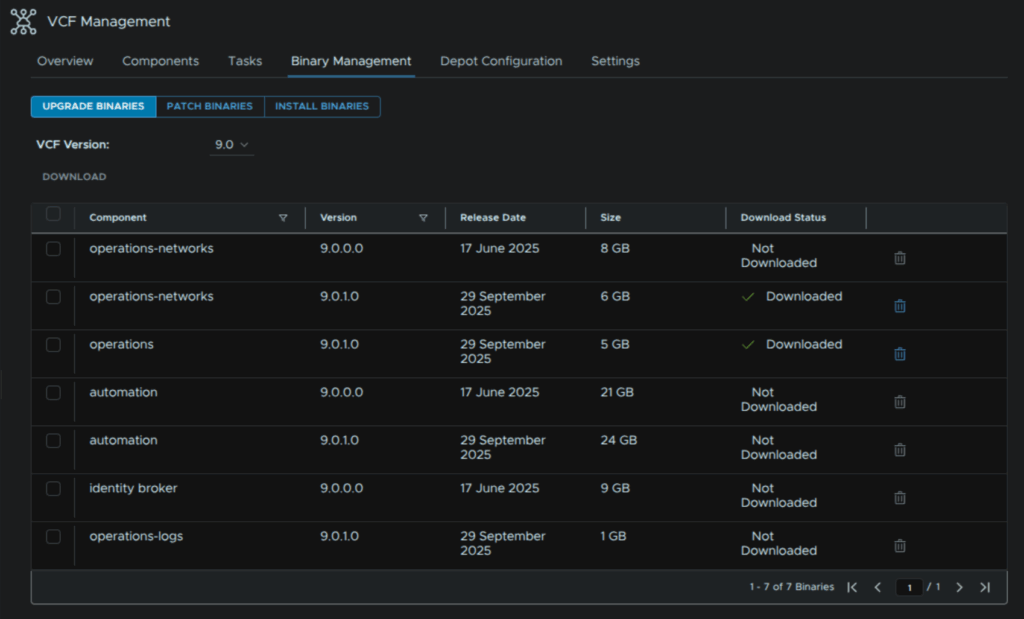
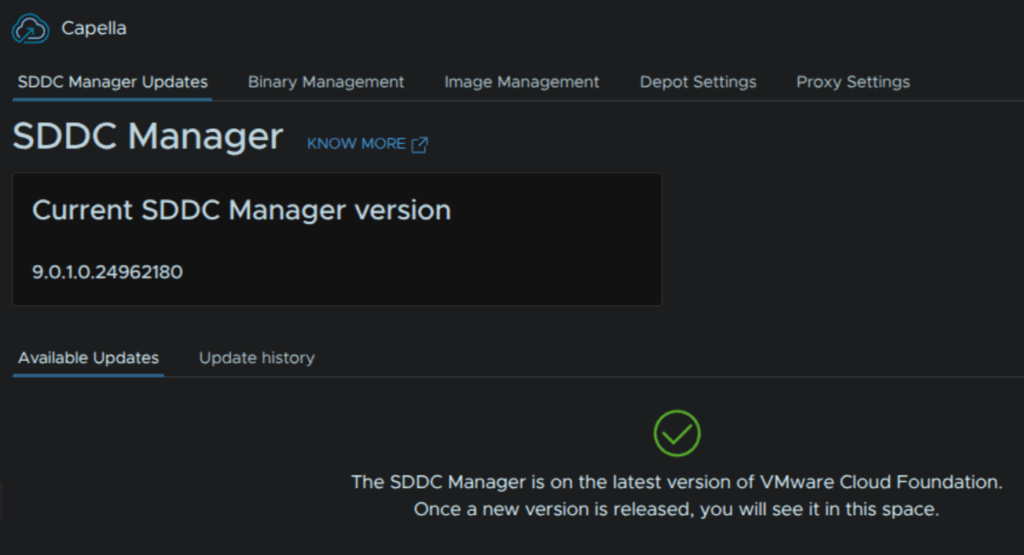
The VCF Instance allows for the same
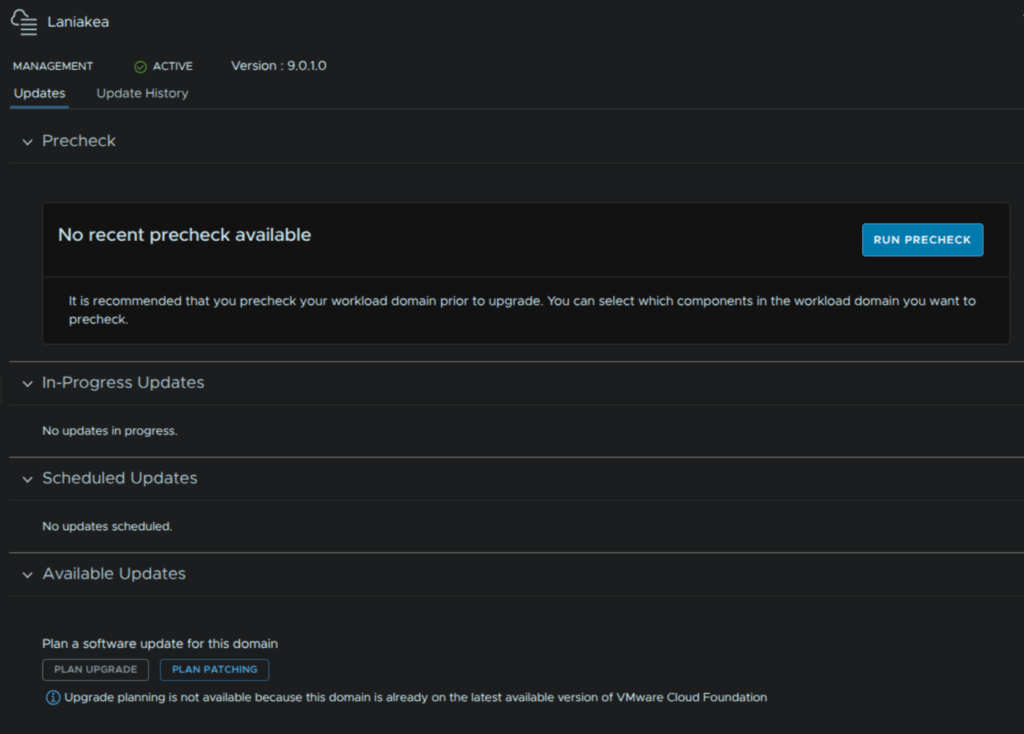
For managing the lifecycle of our workload domain, we can run upgrade/patching pre checks, and plan a patching/upgrade path, and we get full control over what versions we want to go to
Certificates
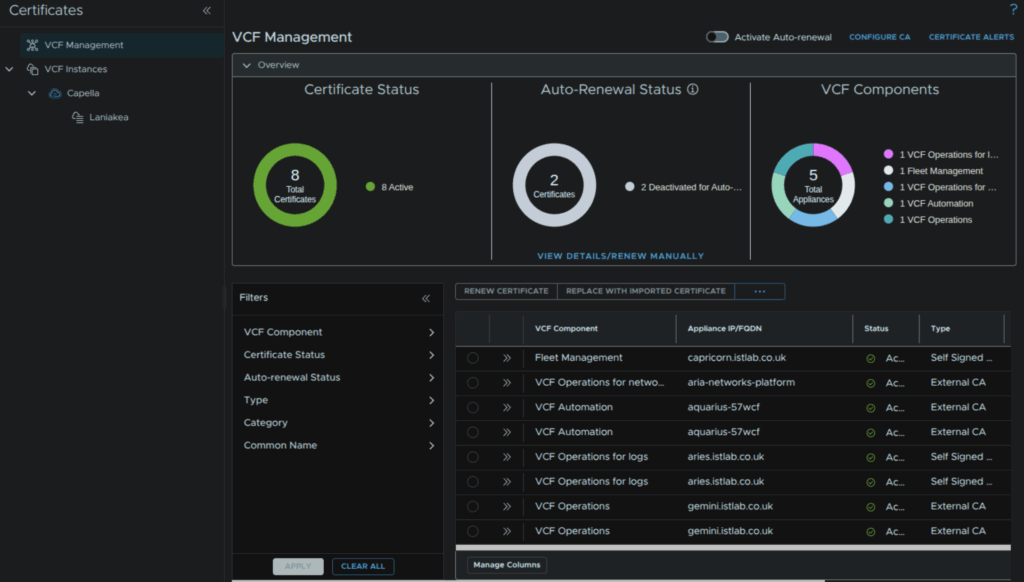
We also get full VCF certification Management, allowing for easy renewing, and automated renewal of certificates
This can also be configured to an on premise Microsoft CA, keeping custom certificates much simpler than ever before
VPC Networking
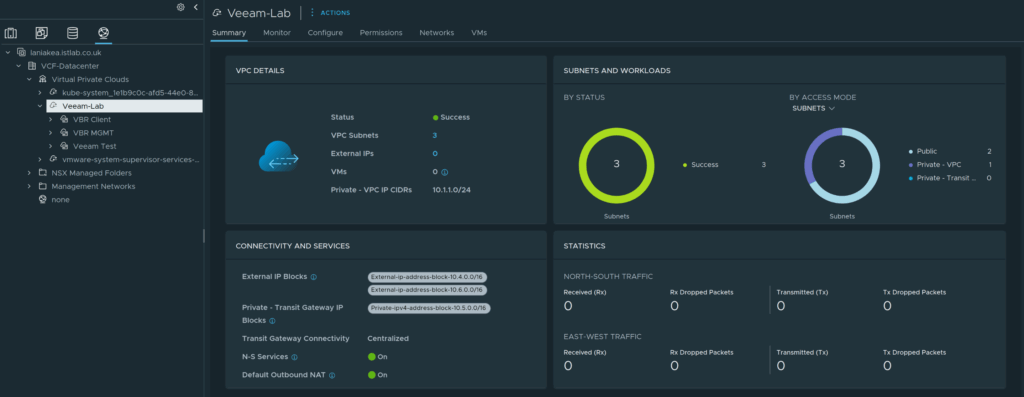
The new big feature in NSX is VPC networking, these act like little networking bubbles which can either be private or public, and it can be entirely configured from vSphere
Private subnets have connectivity to connected devices within the same VCP, they do get access externally, through NAT, but devices outside of the VPC cannot talk to them
This means private IP blocks can overlap across different VPCs without causing any networking issues
Public subnets, are pulled from a set block of IP ranges that you configure, and they are like another other NSX network and are redistributed by BGP so everything can route to them
You can also add public IP addresses to servers on private subnets
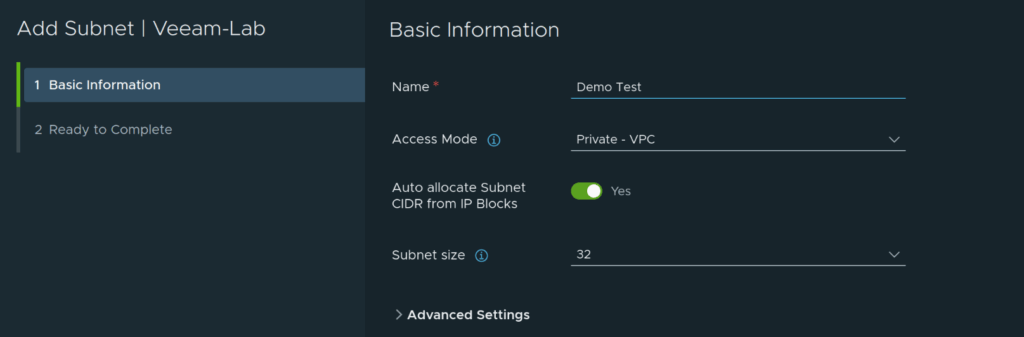
Adding a new subnet is a simple as adding a name, selecting if its private or public, and then a subnet size, the rest is automatically handled for you
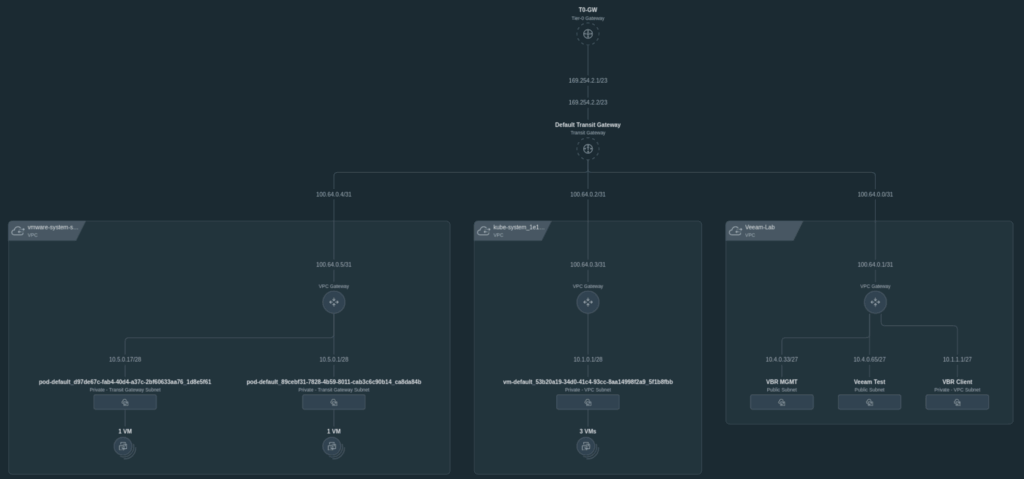
The NSX UI also allows us to see a nice topology of everything deployed
Easy To Deploy Kubernetes
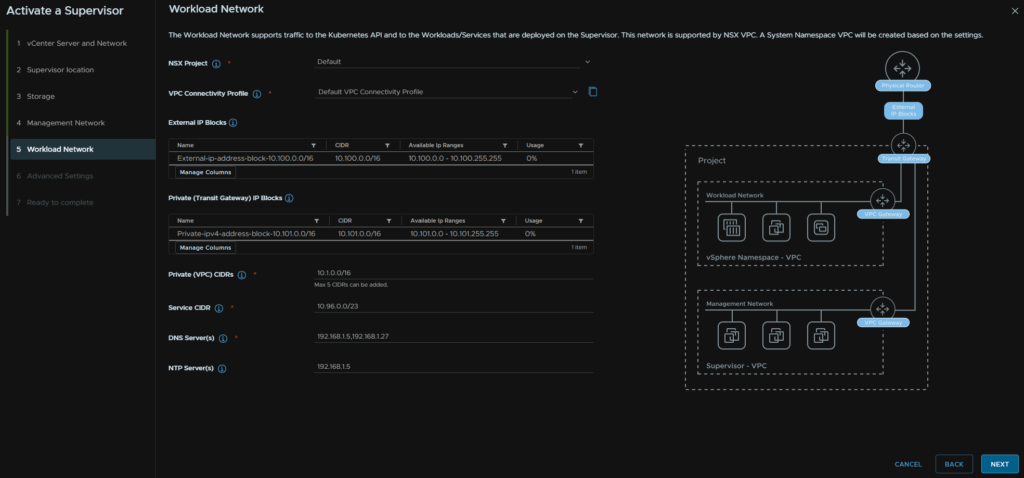
The vSphere Kubernetes Service, formerly Tanzu, now has full support for VPC integration from NSX, this streamlines the setup of the supervisor for various services including Kubernetes, and allows VCF Automation to use the new All Apps deployment on a cluster
Easy Self Service
VCF Automation now has the new All Apps deployment type, which you can use along side the classic type, which is what Aria Automation 8.18 was
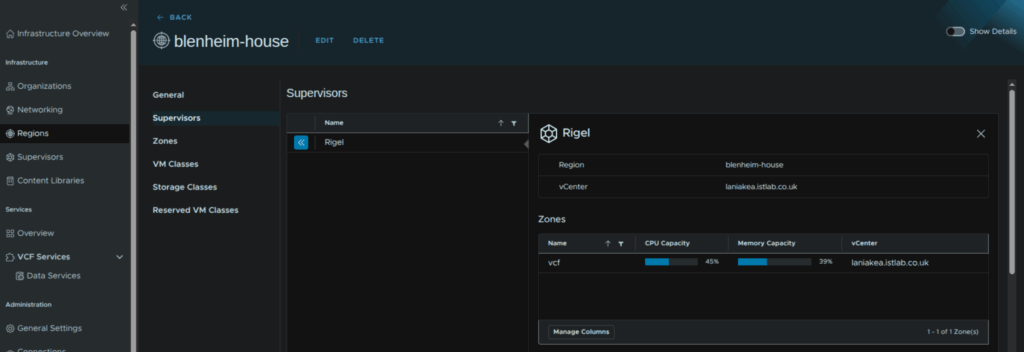
We can leveler supervisors using VPC networking and add them as regions
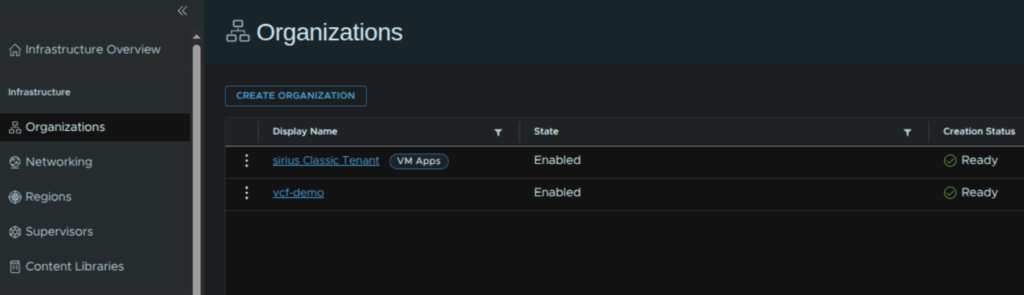
Organisations can be created, for example, per IT department, which also feeds back into costing metrics in Operations, allowing for charge back, a feature many IT departments have been needing to effectively charge other departments for their usage over the resources
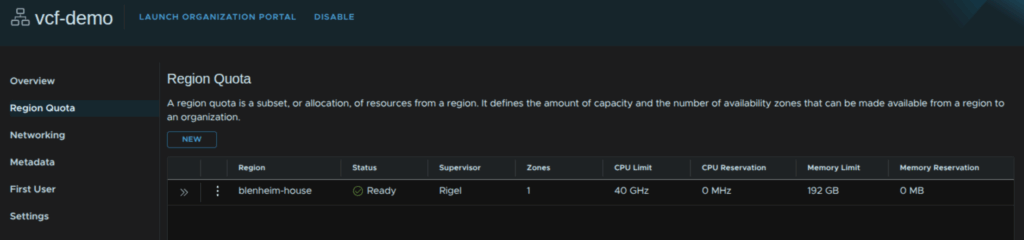
And within these organisation we can easily setup guard rails, per region, for a quota thats allowed, preventing end users from using more than they are allowed, you can limit CPU, memory and storage
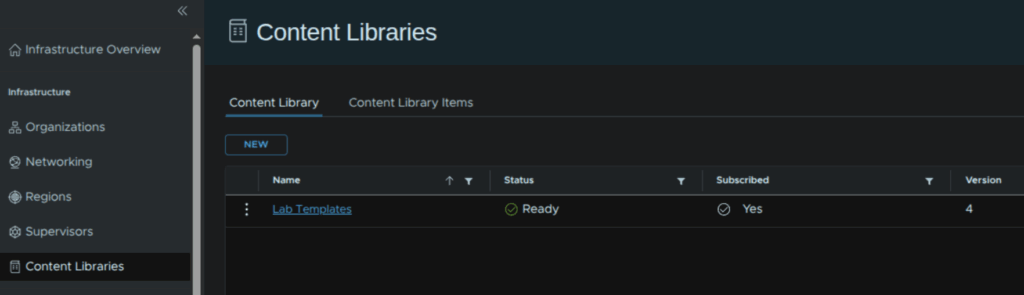
Content libraries can be added for easy template management
Admins of a given department, can see the region usage
They can also setup subnets for users to consume, both in private and public VPCs

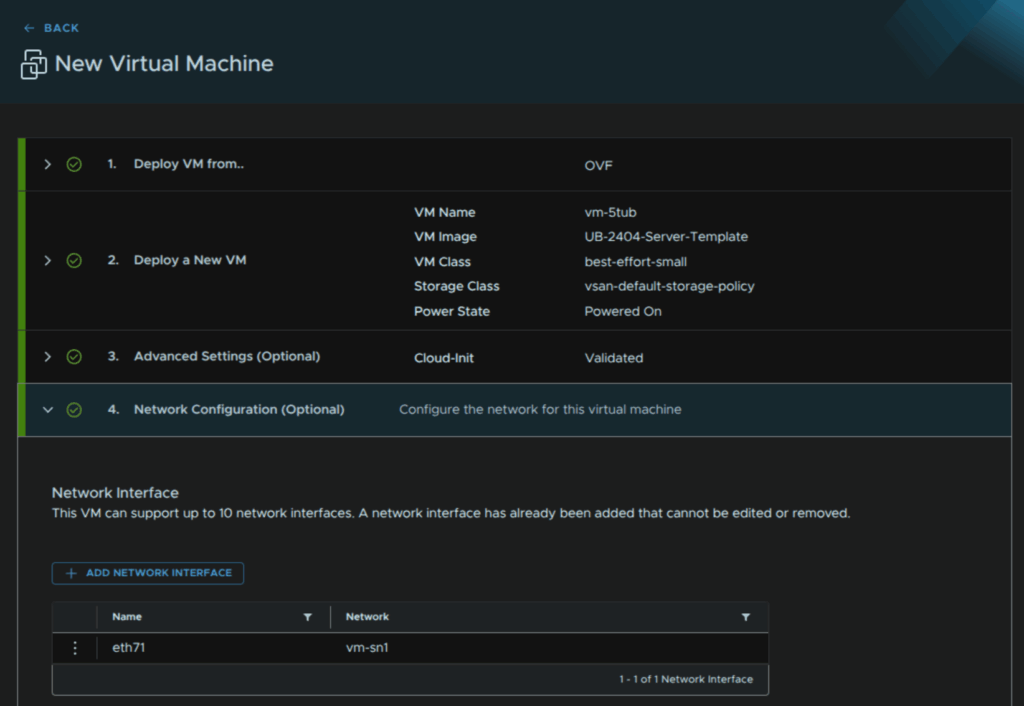
Deploying a VM is as simple as choosing OVF or ISO, selecting the template or ISO, adding a name, VM size, storage and network, though thats optional as it will use the default and then clicking deploy, Automation handles network provisioning for you automatically
Global Deduplication
The big new feature in vSAN 9, requiring 9.0.1 setup across your VCF environment, is global deduplication for vSAN ESA, which is all NVMe
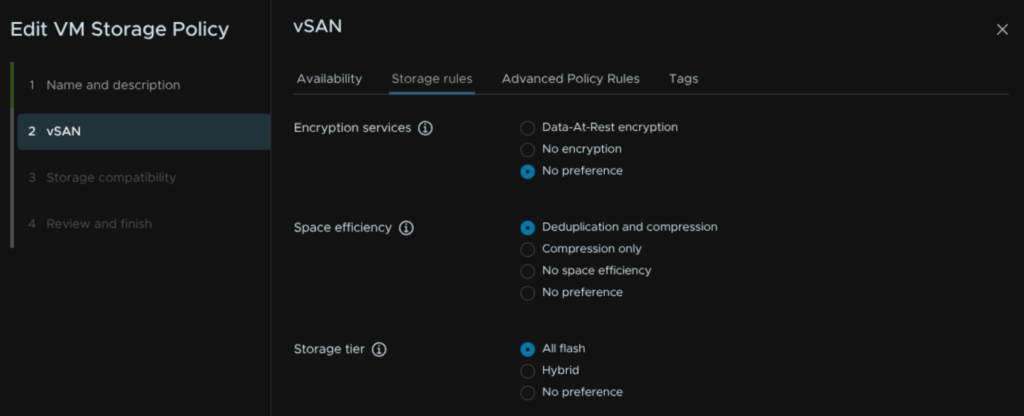
Unlike vSAN OSA, this isnt managed at the vSAN level but rather on a per policy basis that you can apply to some or all of your VMs, so you get a lot more flexibility compared to OSA, and its much more efficient
Enabling this simply requires editing an existing storage policy in vSphere, or creating a new one, and enabling the space efficiency option for deduplication and compression
ESX Memory Tiering
New with ESX 9 is memory tiering, this allows you to use NVMe storage as additional RAM lowering hardware costs, especially in 2026 with the RAM crisis pushing prices to extreme highs
You can do some or all nodes in a cluster, so its great for a slower expansion, or for testing in a cluster and VMs can be excluded if you have workloads that wouldnt work very well on it, like SQL
Hosts even support, redundancy using two NVMe devices in RAID1, this also gives more performance but costs more overall
The recommended setting is 1:1, eg you could spec a 1TB DRAM server with 512GB DRAM and a 1.92TB NVMe disk to add 512GB of effective RAM